
Integrations
Translations that flow through your stack
locamorph plugs into the tools you already use. New keys come in from your repo, finished translations go back out as pull requests or exported files, and your team hears about it in Slack.
Sync your code
new keys go out, finished translations come back as pull requestsConnect a repository and locamorph opens a pull request whenever translations change. Review and merge it like any other branch.
chore: update translations #11
"menu": { "home": "Startseite",+ "projects": "Projekte",+ "collaborators": "Mitarbeiter", "settings": "Einstellungen" },
3 more files changed · locales/fr.json, locales/tr.json, locales/es.json
One workflow file, and sync runs on every push, on a schedule, or when a PR opens. Useful if you'd rather keep the whole flow in CI.
Connects with a project access token. Exports open a merge request or commit straight to a branch; imports pull new keys from your code.
!47 chore: update translations ✓ mergedBuild & deliver
for your own scripts, pipelines, and infrastructureInstall it from npm, set an API key, and move every locale with one command. Made for scripts, Makefiles, and CI jobs.
Plain HTTP endpoints for projects, keys, and translations. Each API key is scoped to the projects and permissions you pick.
Imports translation files from a bucket, or exports them whenever translations change. Apps can fetch the latest at runtime instead of waiting for a deploy.
Notifications
for the people who aren't in the editor all dayChoose a channel and pick which events post there: new keys, finished imports, contributor activity.
12 new keys imported to web-app from GitHub
Sends a POST to your endpoint for each event. Filter by language, add your own headers, and verify payloads with the HMAC signature.
Don’t see your tool?
Tell us what you’d want connected.
Inside the app
Connected in a couple of clicks
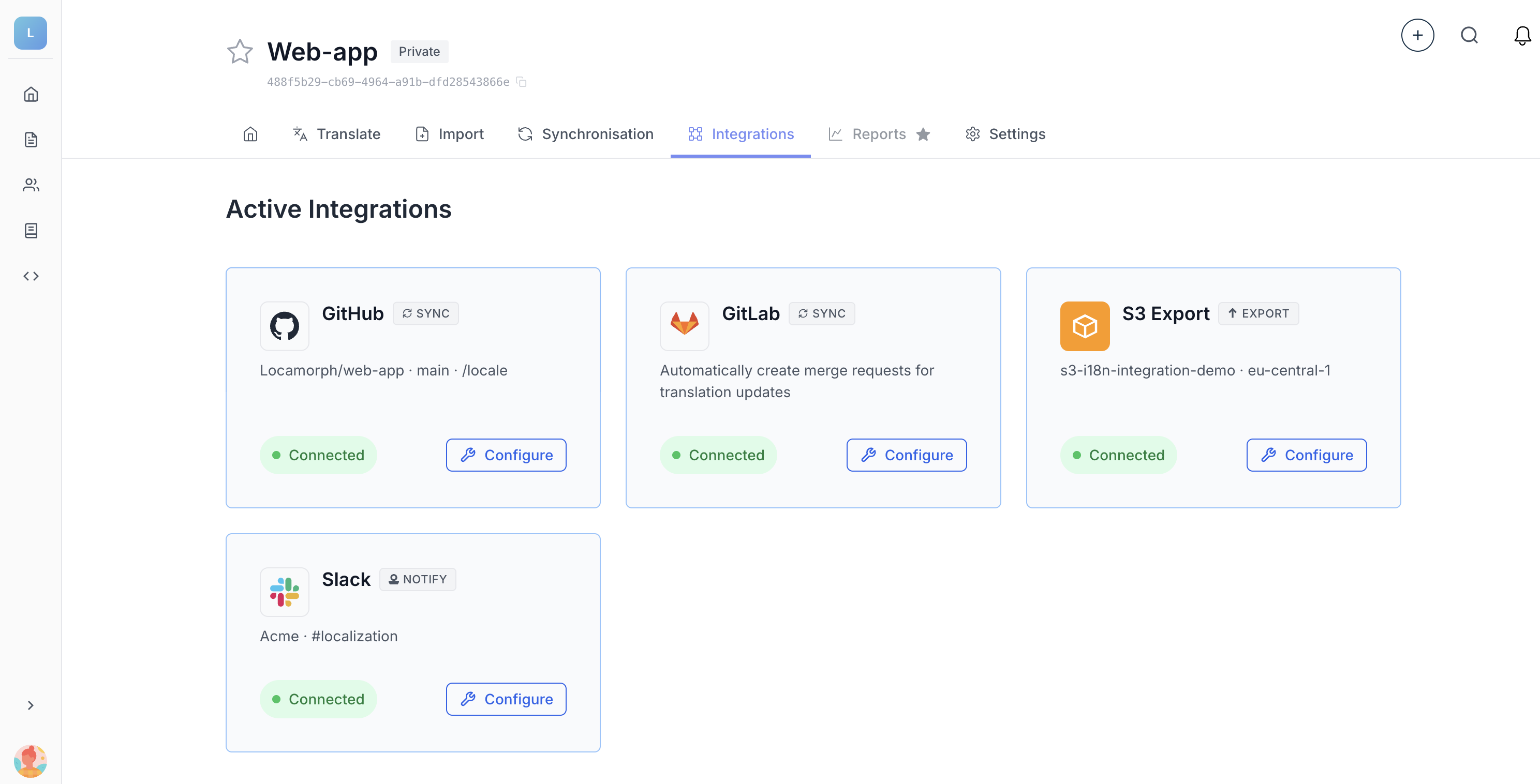
Each project has an Integrations tab where everything gets connected and configured. The hosted integrations are set up entirely in the browser.
- Each card shows its status, so a broken connection doesn't go unnoticed
- Auto-sync runs exports for you once it's switched on
- Only members with the integrations permission can connect or change them
Build your own integration
The CLI and the GitHub Action run on the same public API you get. Pair it with a webhook for the return direction and your script can do everything they do.
File formats
Works with your file formats
Import and export use the same format handling, so files come back the way they went in.
Set up your first integration
There's a free plan, and connecting GitHub takes a couple of minutes.