
Webhook
The event feed for your localization pipeline
Register an HTTPS endpoint and locamorph sends it one signed JSON POST per event: a translation changed, a review landed, an import or export ran, a key appeared or a teammate did. Your code reads the type, reacts, and your pipeline knows about translation work the moment it happens.
Events are delivered after the fact and never slow down or break the work that produced them. Every request carries a signature your receiver can verify.
X-Webhook-Id: evt_9f27c41a
X-Webhook-Timestamp: 1786608847
X-Signature: v1,K6i3hFmqXk0Zt2vN8wRb1cQe…
Content-Type: application/json

{
  "id": "evt_9f27c41a",
  "type": "translation.updated",
  "timestamp": "2026-08-13T09:14:07Z",
  "project": { "id": "1c9d2f66…", "name": "Web-app" },
  "actor": { "id": "7e41a0b3…", "name": "Emily Ross" },
  "data": {
    "key": "checkout.summary.title",
    "languageCode": "fr",
    "oldValue": "Résumé de commande",
    "newValue": "Récapitulatif de commande"
  }
}
Your server replied 200 OK in 84 ms.
How it works
What lands on your endpoint
Every event is one POST with the same envelope: an id, a type, a timestamp, the
project, who did it, and a data object holding the specifics. Switch on
the type, read data, and you have everything the event knows.
You choose what arrives
Each endpoint subscribes to the events it cares about. A deploy hook can listen for imports only; a dashboard can take the whole feed.
Payloads you can switch on
The envelope never changes between events, so one small handler covers the whole feed. New consumers reuse the same parsing code.
Only the languages you care about
Translation events can be filtered per language. An endpoint for your German
vendor sees de and nothing else.
data Language filter translation.updated A translation’s value changes key, languageCode, oldValue, newValue Yes translation.reviewed A review verdict is set or cleared key, languageCode, oldStatus, newStatus Yes key.added A key is created key, file, isPlural No key.removed Keys are deleted key, file, count No key.modified A key’s plural, visibility or length limit changes key, change, newValue No key.comment_added A comment lands on a translation key, languageCode, comment Yes project.import An import finishes languageCode, keysImported, keysSkipped, keysDeleted Yes project.export Translations are downloaded or pushed to GitHub, GitLab or S3 languageCodes, format, destination, fileCount Single-language language.added A language joins the project languageCode, languageName, copiedFrom Yes language.removed A language leaves the project languageCode Yes contributor.added Someone joins the project contributorName, contributorEmail, role No contributor.removed Someone leaves or is removed contributorName, contributorEmail, isSelfRemoval No Setup
Name it, point it, pick events
A webhook is a name, an HTTPS URL and a set of events, all managed in one modal on the Integrations page. A project can run several at once, each with its own secret, events and headers.
-
Add a webhook
Give it a name and paste the URL of your receiver. If your endpoint expects its own authentication, add custom headers and they ride along on every request.
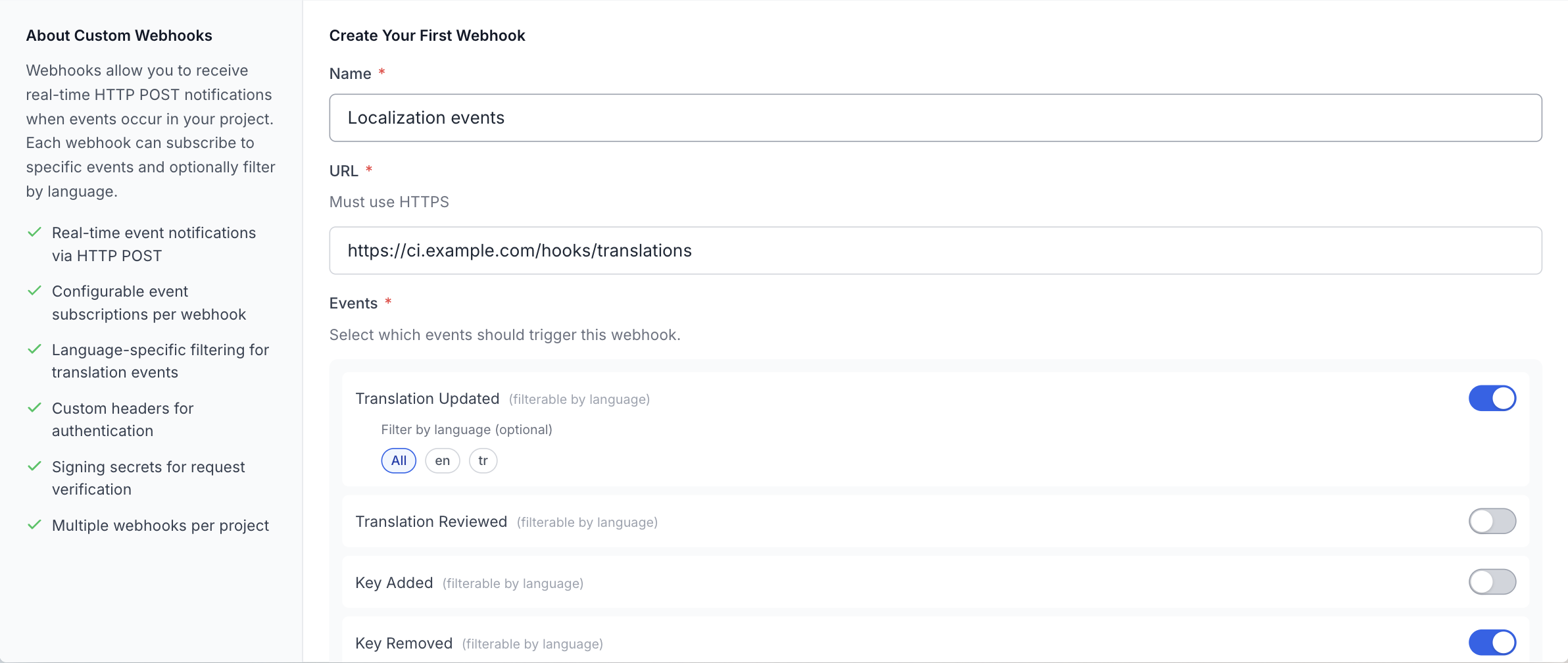
One form per endpoint: name, URL, events, and headers if your receiver wants them. -
Choose events and languages
Tick the events this endpoint should receive. Translation events take an optional language filter, so a locale specific consumer only hears about its own languages.
-
Copy the signing secret
The secret appears once, right after saving. Store it in your receiver’s configuration; it is what turns “a request arrived” into “a request from locamorph arrived”. You can regenerate it any time.
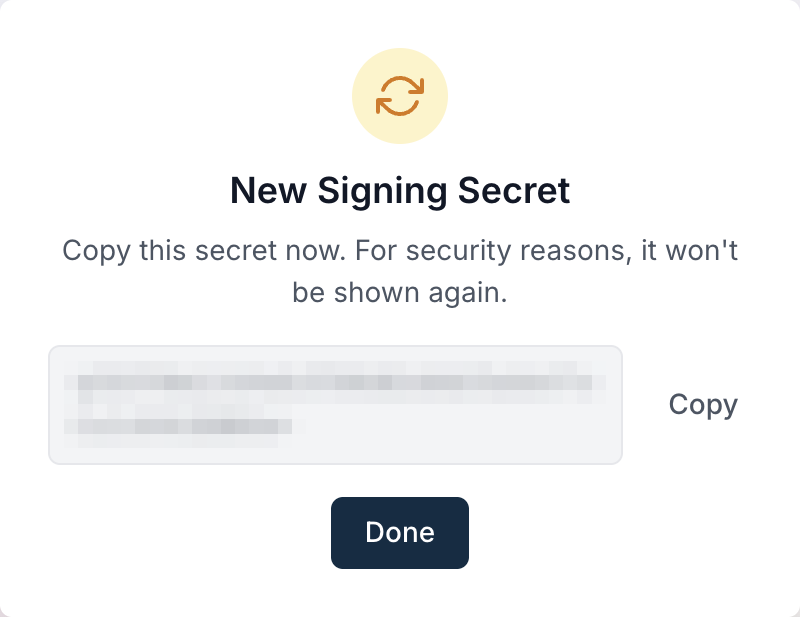
Shown once, then only ever masked. Regenerating makes a fresh one. -
Send a test
The test button posts a
testevent and reports the status code and response time, so you can build and verify your receiver before any real event fires. From then on the card shows status, last delivery and any failures. Deliveries are single attempts, so if your endpoint was down, the card is where you will see it.
Status, event count and last delivery, with the test one click away.
Security
Prove every request came from us
Every delivery is signed following the Standard Webhooks convention. Your receiver
computes an HMAC SHA256 of webhook_id.timestamp.body with the signing
secret and compares it to the X-Signature header, which arrives as
v1,<signature>. Match it and the request is provably from
locamorph and provably unmodified; the timestamp header lets you reject replays.
X-Webhook-Id X-Webhook-Timestamp X-Signature
Each endpoint has its own secret, shown once and stored masked, with one click regeneration if it ever leaks. Webhook URLs must use HTTPS; the API refuses anything else. And because the secret only ever signs, a leaked payload exposes one event, never your account.
Common workflows
Three pipelines teams build
The rebuild trigger
project.import and translation.updated, pointed at your
CI’s pipeline trigger URL with an auth header attached. Fresh strings
rebuild the preview environment on their own, and staging always speaks every
language.
The translation dashboard
The whole feed into a small collector that writes to your analytics store. Who changed what, how fast reviews move, import volumes per language: the feed carries the numbers, you choose the charts.
The vendor bridge
One endpoint per translation vendor, each filtered to its own language. Your
French vendor’s system hears about fr the moment work lands,
and nobody forwards emails about it.
Related
Where to go next
Slack
The same events as readable messages in a channel, for the humans on the team.
GitHub Action
Sync translations inside your CI runs, a natural companion to a webhook trigger.
All integrations
GitHub, GitLab, Slack, S3, webhooks, the CLI and the REST API.
Don’t see your tool?
Tell us what you’d want connected.
Point an endpoint at your translations
Webhooks are part of the Startup and Enterprise plans. Register an endpoint, send the test event, and wire the first automation in an afternoon; the payload shape stays put as your pipeline grows around it.