
Slack
Your translations, reported in Slack
Connect a channel with two clicks of OAuth and locamorph starts reporting: keys added and deleted, translations updated and reviewed, imports landed, languages added, contributors joined. Each event is a toggle, each message names who did what in which project, and nobody has to ask whether the translations went in.
Notifications run after the fact. They cannot block, slow down or fail the work they report on, even when Slack itself is down.
📥 Translations imported by Alex
Project: Web-app
Language: de
Summary: 142 imported, 8 skipped
✏️ Translation updated by Jordan
Project: Web-app
Key: checkout.summary.title
Language: fr
Old: Résumé de commande
New: Récapitulatif de commande
One message per event, only for the events you switched on.
How it works
Seven events, one channel
Each message carries an event marker, who did it, and what changed. A translation update shows the old and new value side by side; an import reports what was added, skipped and removed. Everything else stays out of the channel.
You choose what posts
Key added, key deleted, translation updated, status changed, import finished, language added, contributor joined. Each is a switch you can flip at any time without reconnecting.
Public or private
Each project posts to one channel of your choice. Public channels need no bot invite at all; private ones appear in the picker once the bot is a member.
Never in the way
Delivery happens after the operation completes. If Slack errors or is unreachable, the failure is logged and the import, edit or invite proceeds untouched.
Setup
Connect, pick a channel, choose events
The shortest setup of any integration. Nothing gets typed or pasted; you approve the bot on Slack’s own consent screen and decide where messages go.
-
Connect Slack from the Integrations page
Choose Slack and you are handed to Slack’s consent screen, which names exactly what the bot may do. Approve it and you are back in locamorph with the workspace connected. There is no token to create and nothing to paste.
-
Pick the channel
The picker lists your workspace’s public and private channels. Most teams create a dedicated channel such as
#localization, which is easy to follow and just as easy to mute.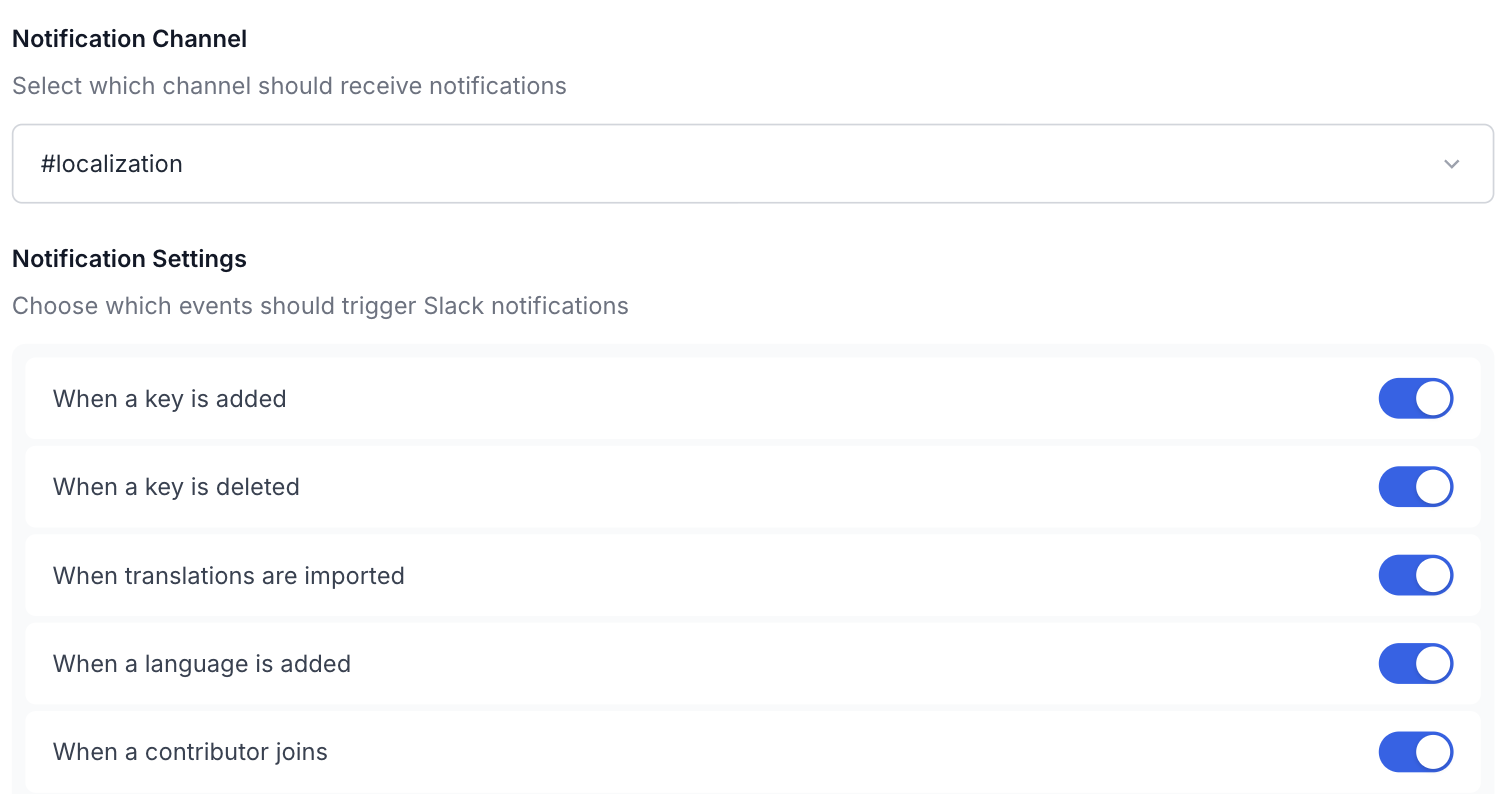
Channel and events in one modal, changeable any time without reconnecting. -
Choose the events
New keys, deletions, imports, new languages and new contributors start switched on. Updates to individual translations and review status changes start off, because a busy project would flood the channel; switch them on when the volume fits.
-
Save, then make a change
Edit any translation or run an import and watch the message arrive. The integration card shows the connected workspace and channel from here on.
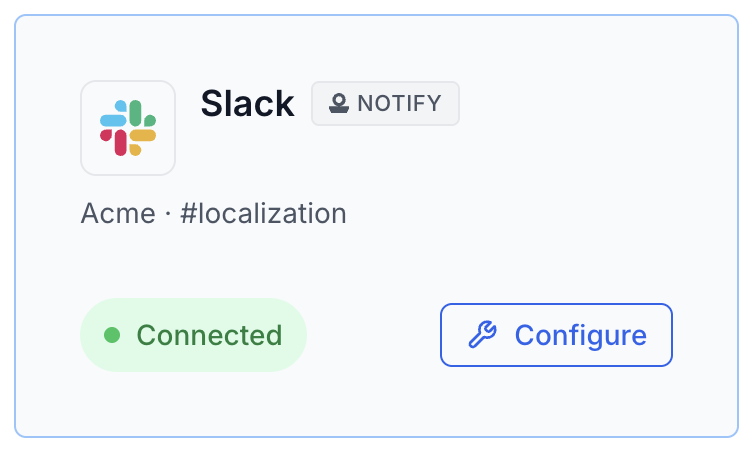
Workspace and channel, visible at a glance.
Security
A bot that speaks, and never listens
The bot asks for five scopes and nothing more: post messages, post to public channels without joining, list public channels, list private channels, read the workspace name. There is no history scope of any kind, so the bot cannot read a single message in any conversation, including the channel it posts to. What your team writes in Slack stays in Slack.
chat:write chat:write.public channels:read groups:read team:read
Authorization is Slack’s own OAuth, so there is no credential to create or rotate. Revoking works from either side. Delete the integration in locamorph and the bot token is revoked through Slack’s API in the same operation, or remove the app from Slack’s admin page; either way the connection is fully gone.
Common workflows
Three shapes teams settle into
The localization feed
The defaults, posted to a #localization channel. Imports, deletions,
new languages and new contributors arrive as they happen, so anyone can scroll
the channel and see what changed this week without opening locamorph.
The quiet mode
Only imports and key deletions, posted to the channel developers already watch. The two events that can affect a release stay visible; everything else stays out of the way.
The launch channel
Updates for every translation edit switched on, pointed at a dedicated review channel during a big release. Reviewers watch old and new values scroll by in real time, then switch the toggle off when the launch ships.
Related
Where to go next
GitHub
Repo sync in both directions through a GitHub App, with translations arriving as pull requests.
CLI
Sync from a terminal or any script, with dry runs that show the change set first.
All integrations
GitHub, GitLab, Slack, S3, webhooks, the CLI and the REST API.
Don’t see your tool?
Tell us what you’d want connected.
Give translations a channel
Available on the Free plan. Connect a channel, run an import and the announcement posts itself. If the channel gets noisy the toggles are right there, and revoking cleans up the bot token too.