
GitHub
Translations come back as pull requests
Connect a repository from inside locamorph and the loop closes itself: new source strings flow in when your developers push, translators work in the app, and finished translations come back as one pull request that updates in place instead of piling up. There is no workflow file, no token to mint, no CI job to babysit. The GitHub App carries the authorization and the UI carries the configuration.
The pull request is an ordinary pull request. Branch protection applies, your CI runs on it, and nothing reaches your default branch until someone on your team merges it.
chore: update translations #11
"menu": { "home": "Startseite",+ "projects": "Projekte",+ "collaborators": "Mitarbeiter", "settings": "Einstellungen" },
3 more files changed · locales/fr.json, locales/tr.json, locales/es.json
How it works
One pull request, kept current
A push from locamorph writes your translation files to an
i18n/sync-translations-* branch and opens a pull request titled
chore(i18n): sync translations. Both the branch and the title accept
your own pattern. The part that keeps a repo tidy: if that pull request is still open
the next time translations move, locamorph updates it in place
rather than opening a second one. Your repo carries at most one translation PR at a
time, always holding the latest state.
Files are formatted by the project’s settings (indentation, key order, nesting, plural style), not by whoever exported last. The same keys always serialize to the same bytes, so the diff a reviewer sees is the three strings that changed, not three hundred reordered lines. The same holds for every supported file format.
Auto-import on push
When a push to the tracked branch touches files under the sync path, locamorph pulls the changes in on its own. It is opt-in, and its own sync branches never trigger it, so there is no loop to worry about.
Work happens in the app
Translators and reviewers see new keys the moment they land, with editor context, machine suggestions and review state, and no files in their inbox.
Push opens the PR
One click in the Synchronisation panel writes every language back to the repo and opens or refreshes the sync pull request for your team to review.
Setup
Five minutes, all of it in the UI
Everything below happens in the browser. You will need a project role that can manage integrations, and permission on the GitHub side to install apps on the account you are connecting.
-
Connect GitHub from the Integrations page
Open your project’s Integrations page and choose GitHub. This is also where the integration lives later: status, configuration and revoke all stay on this one screen.
-
Install the GitHub App
GitHub asks which account (personal or organization) and which repositories the app may see: all of them, or just the ones you pick. That choice is the whole permission model, and you can narrow or widen it on GitHub at any time. When you return, the account appears under Connected Accounts.
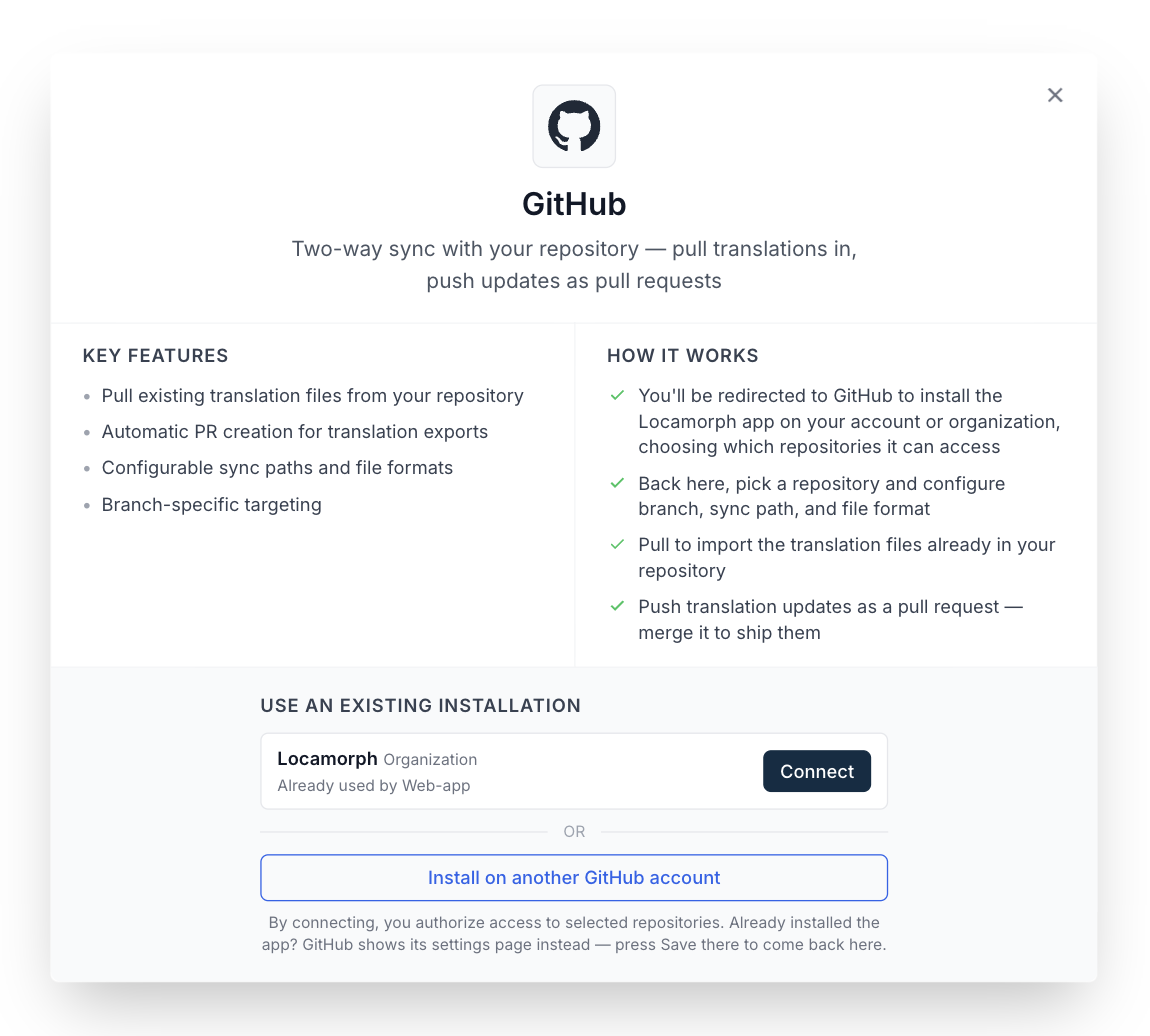
Installed once, offered everywhere: a project can take the existing installation with one click. Installing again is only for connecting another account. -
Pick the repository and branch
The modal lists every repository the installation can reach. Choose one and the branch translations should track: the branch the pull request will target and auto-import will watch.
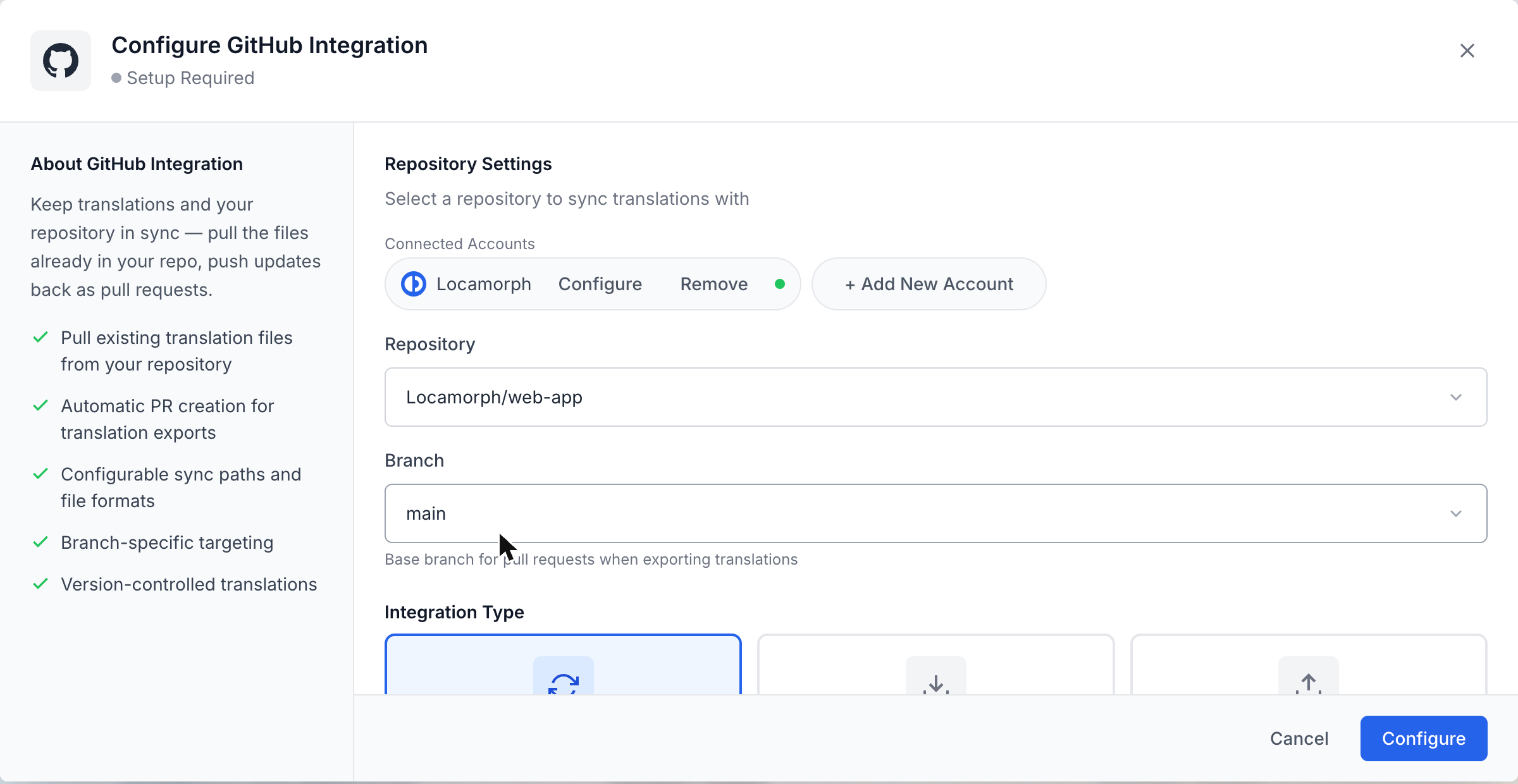
Connected accounts, repository and branch. One modal holds the whole configuration. -
Tell it where files live and which way to sync
Sync path (
/localeby default), file format, and how files are named:{LANG_ISO}.{FORMAT}for one file per language, or a per-language folder layout. Then the direction: import only, export only, or both. Import is add-only unless you switch on update existing, so a half-configured first run cannot overwrite a translator’s work. -
Save, then push or pull once
The project’s Synchronisation panel gets Push and Pull buttons and shows the open sync PR when there is one. Run one Pull to confirm the path and format are right. Then the loop is live.
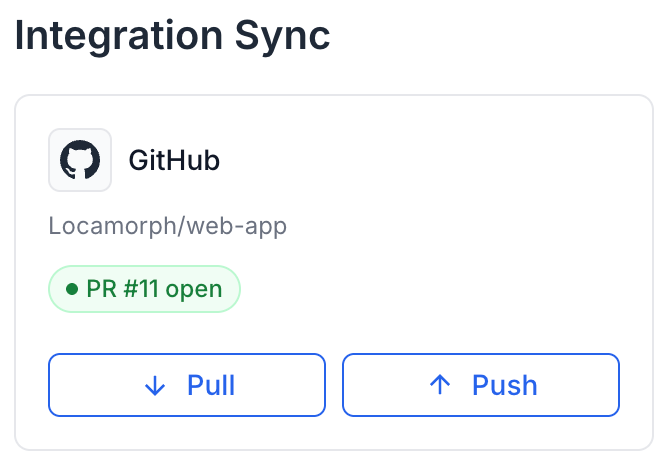
Day-to-day home of the integration: Pull, Push, and the state of the open sync PR at a glance.
Security
One install, no personal tokens
Install the GitHub App once on an account or organization and you’re done installing: every project that needs one of its repositories connects through that same installation. Access is granular at every level: the account you installed on, the repositories you granted, and the project that connects. Each project reaches exactly the repos it was given and nothing more.
The whole grant lives on GitHub, under your control. Widen it, narrow it to a single repository, or revoke it entirely from GitHub’s own app settings. The moment you do, locamorph’s access changes with it. There is no credential to rotate and nothing to remember to clean up: authorization comes from the installation itself, issued and expired by GitHub, scoped to only what you granted.
That is the difference from translation platforms that connect through a personal access token. A token acts as the person who minted it, with every repo they can touch and often every org they belong to. It sits in a third party’s database waiting to leak, and quietly dies when that person leaves the company, taking the sync with it. An App installation belongs to the organization, not to anyone’s identity: more granular, auditable on GitHub’s side, and with no long-lived secret to steal.
Common workflows
Three shapes teams settle into
All three are the same integration with the direction switch set differently: one control in the config modal, changeable at any time without reconnecting.

The release loop
Auto-import on, both directions enabled. Developers merge features; new keys appear for translators within moments of the push. Before a release, someone presses Push, CI runs on the sync PR, a reviewer merges it. The repo never waits on translation, and translation never blocks a merge.
Import-only feeding
Direction set to import. The repo stays the source of truth for keys, locamorph stays the workbench, and delivery happens elsewhere: through the CLI in a build step, or the Action in CI. Useful when release artifacts are built rather than committed.
One installation, many projects
Install the app once on an organization and every project that needs one of its repositories connects through the same installation; agencies run one install per client account. A project can also connect several accounts at once, and removing one from a project never touches the installation the others use.
Related
Where to go next
GitHub Action
The same sync on your CI triggers: every merge, a schedule, or a PR diff comment.
CLI
Sync from a terminal or any script, with dry runs that show the change set first.
All integrations
GitHub, GitLab, Slack, S3, webhooks, the CLI and the REST API.
Don’t see your tool?
Tell us what you’d want connected.
This integration or the GitHub Action?
Both end in a pull request. The difference is who owns the machinery.
This integration
Connect once in the UI and locamorph does the pulling, the pushing and the PR keeping. Pushes happen at human moments: before a release, after a translation sprint.
- Configuration lives in the UI, readable by the whole team
- Nothing lands in the repo except the sync PR
- Auto-import keeps new strings flowing in on every push
GitHub Action
A workflow file, a secret, and sync fires on your triggers. Built for continuous localization, where translation rides the same rails as every other release artifact.
- Upload new strings on every merge to
main - Preview diff commented onto each pull request
- Scheduled pulls, and releases gated on completeness
Nothing locks you in: both work against the same project and the same formats, so adding one later is a configuration change, not a migration.
Connect a repository
Free plan, no workflow file, and the first pull tells you the config is right before anything is written. If the sync PR isn’t what you hoped, revoke disconnects the project as cleanly as it connected.